23 supported languages
Create narration, lessons, podcasts and spoken content across 23 supported languages.
VocalForge Studio Pro creates natural-sounding speech on your Windows computer. Produce voiceovers, clone voices you are authorized to use, add emotions to English speech, and export complete audio projects or hundreds of files in batches.
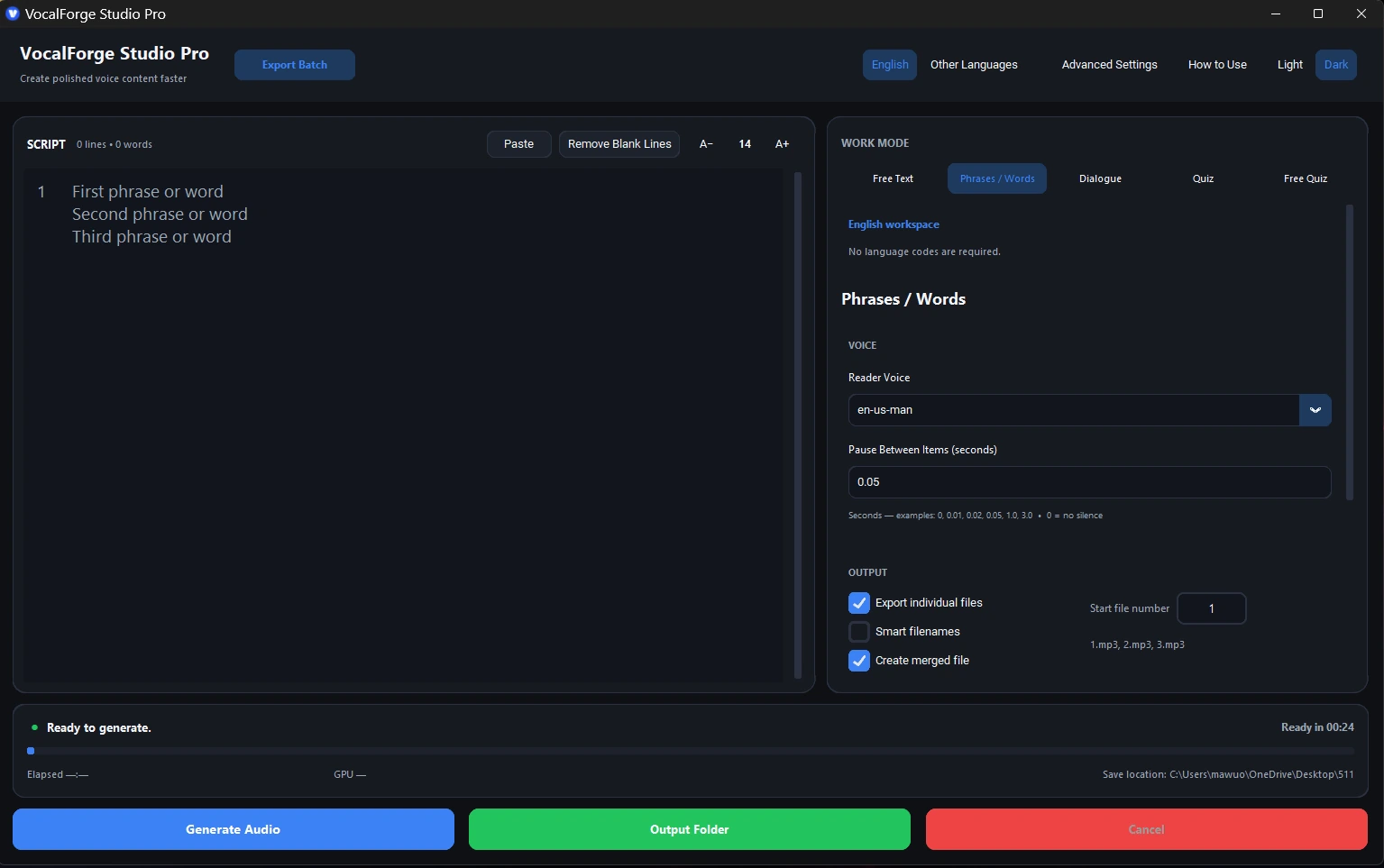
Generate speech in 23 languages, give English narration a more expressive delivery, and organize entire audio projects without converting files one by one.
Create narration, lessons, podcasts and spoken content across 23 supported languages.
Add supported emotional cues to English narration for a more engaging delivery.
Use your own voice or a voice you have permission to use from a reference recording.
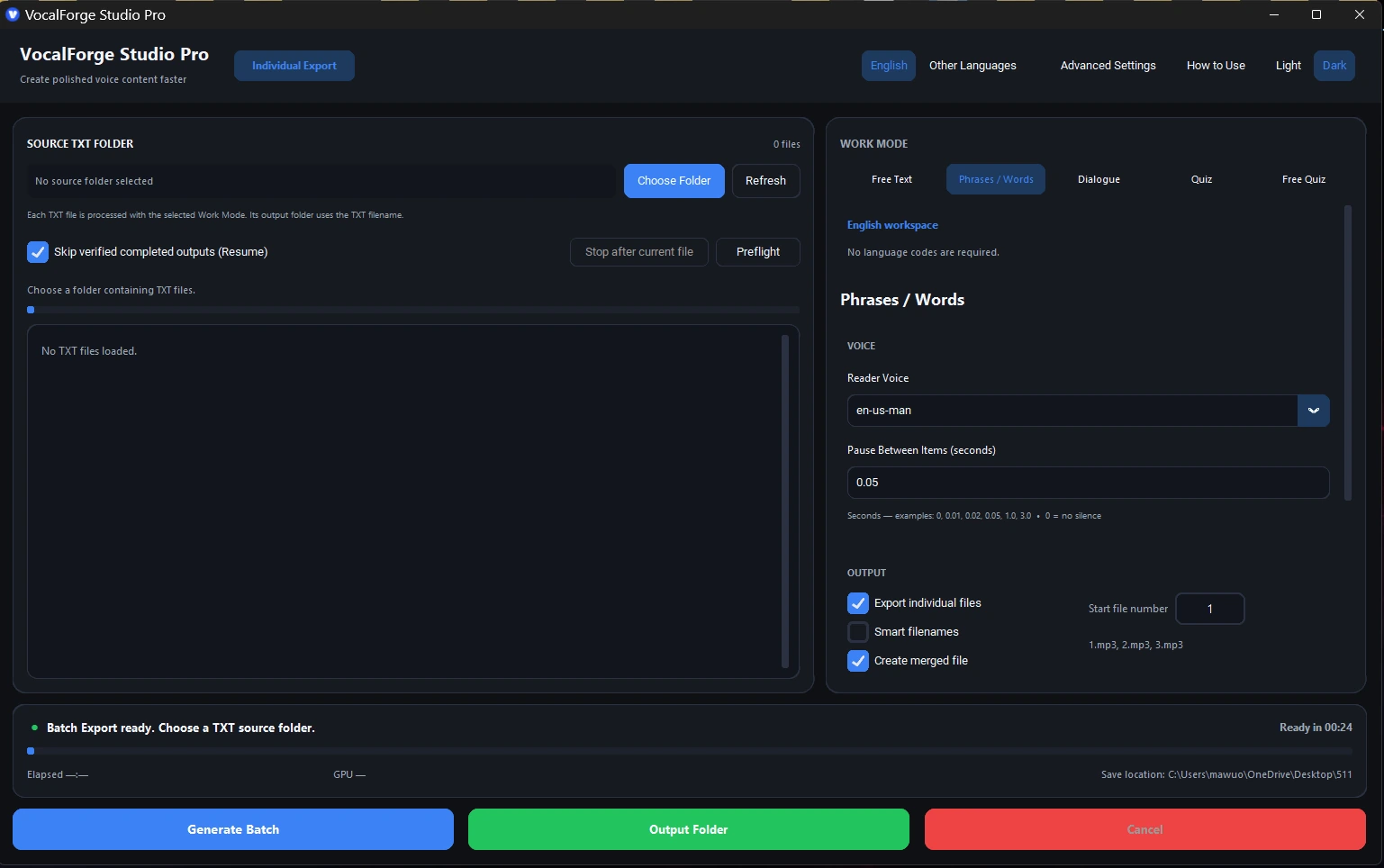
Select a folder of text files and produce organized audio outputs for each file, without copying text manually.
Generate two-speaker conversations, question-and-answer audio, and optional timed pauses or sound effects.
Save individual recordings, combine them into a single audio file, or export both versions.
Create spoken lessons, interviews, quizzes and individual phrases using a workflow designed for each task.
Create conversations with two speakers and assign a different voice to each participant.
Turn lines of text into separate spoken clips, one combined recording, or both.
Build question-and-answer recordings with separate voices and customizable pauses.
Add timed thinking breaks and optional audio cues to scripts when needed.
Generate your audio on your Windows PC. Internet access is used for activation and periodic license verification; voice creation itself runs locally.
Natural speech for multilingual content.
Create recordings on your computer.
Expressive English narration.
Export multiple text files.
Select a voice or import a reference recording you own or have permission to use.
Type a script, paste multiple lines, or select a folder containing TXT files for batch work.
Choose the audio output and save MP3 or WAV recordings as separate files, merged audio, or both.
Create vocabulary audio, dialogues, listening activities and spoken quizzes.
Make natural voiceovers and narration for educational videos or short-form content.
Turn lessons, tutorials and course material into spoken learning resources.
Produce organized files for large lists of phrases, scripts and text documents.
VocalForge Studio Pro is a Windows desktop application and requires a compatible NVIDIA graphics card to run. CPU-only computers are not supported.
Please check your computer's compatibility before purchasing.
Windows desktop application. An internet connection is required to download installation components, activate the license and complete periodic license checks.
A complete Windows voice-creation studio for 23 languages, English emotional expression, voice cloning, dialogue production and batch export. One-time purchase; activation and periodic license checks are required.
A Windows application that creates spoken audio locally in 23 languages, with voice cloning, expressive English speech, dialogues, quizzes and batch export.
VocalForge Studio Pro supports 23 languages for speech generation.
Yes. English speech supports emotional expression using the options available in the application.
Yes. Select a folder of TXT files to process them as a batch. You can keep separate audio files, merge the output where available, or use both options.
Yes. Dialogue Mode lets you give two speakers different voices and produce a complete conversation.
Yes. Use a reference recording only if you own the voice or have permission to reproduce it.
MP3 and WAV are supported, including individual recordings and combined audio.
A compatible Windows computer with a supported NVIDIA graphics card. Check the requirements before purchasing.
Audio generation runs locally after the application is ready. An internet connection is required for activation, periodic license verification and downloading installation components.